Page speed optimization improves user experience, search rankings, and conversions. Faster websites keep users engaged and help businesses perform better in 2026.
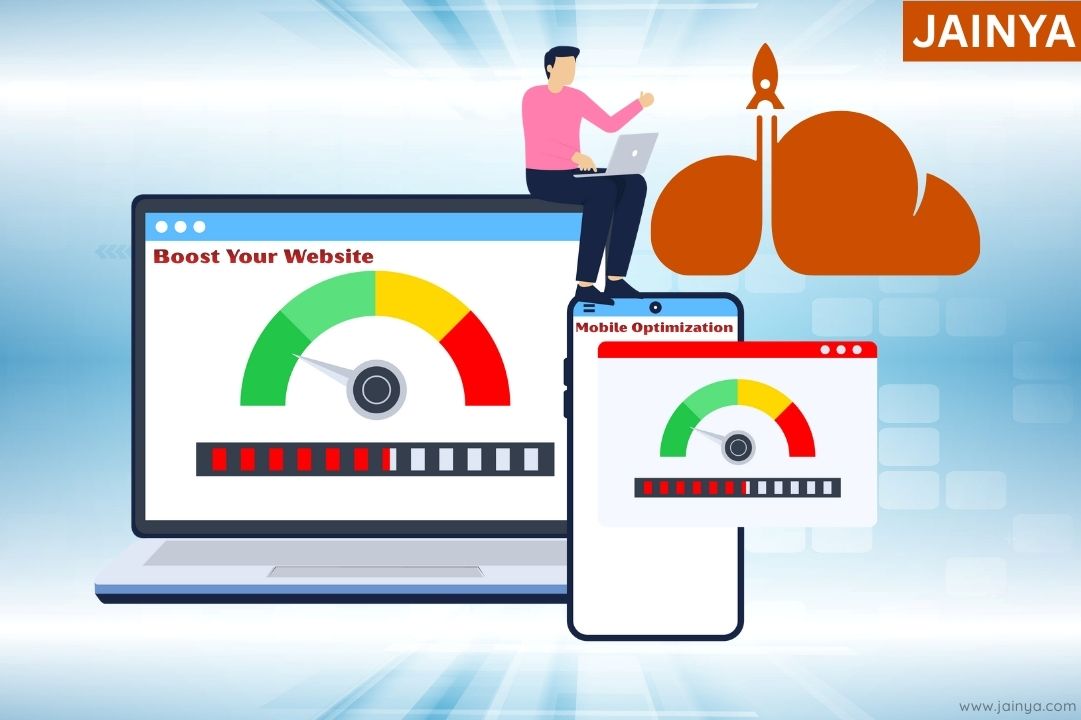
Speed of website can make or break online business and growth. Website page speed is not how fast website load on mobile and desktop. It also making sure consumer have a good experience (UX). That keeps them bund and coming back for more visit.
It insures that web site page load quickly. Whether you have a personal blog, an online store, or a business website.
We’ll talk about in this article importance of page speed of website and look at some good ways to do it in this article.
Key Impacts of Page Speed:
- User Experience
- Search Engine Optimization (SEO)
- Conversions
- Engagement & Retention
- Brand Perception
Why It Matters for Your Business:
- Higher Traffic
- More Revenue
- Reduced Costs
Website page speed is how quickly content loads in a user’s device like mobile & desktop. Nowadays, people want websites to load quickly and attention durations are short. If your site loads slowly, visitors may leave, costing you lose chances and conversions. Search engines like Google rank websites by page speed, thus faster websites score higher.
User Experience and Engagement
Fast-loading websites increase user experience (UX), low bounce rates, and increase page views time. Slow websites frustrate users, who leave more website as soon as posible.
Page speed – avoid fooling yourself. You are aware of the significance of this matter.
Remember your frustration the last time WiFi required 20 seconds to load a page?
On the other hand, a fast site keeps users bound, makes them scroll more pages & more time on your site, and boosts conversion rates.
Key SEO Benefits

Website page speed affects Google ranking. Websites that load faster will get more organic traffic and rank higher in SERPs.
Targetting on page speed optimization improves SEO and user experience.
- Increased Visibility & Traffic
- Higher ROI & Cost-Effectiveness
- Builds Trust & Credibility
- Better User Experience (UX)
- Drives Leads & Sales
- Long-Term Growth
- Customer Insights
- Competitive Advantage
- Supports Entire Marketing Funnel
Key Strategies for Page Speed Optimization
Now that we know page speed matters, let’s find at some ways to improve your website.
1. Choose a Reliable Hosting Provider
Ensure that your site is hosted by a reputable web hosting company and doesn’t go down during peak times. If you can, put your site on a server in your local city. This will make it faster for people in your area.
Managed WordPress hosting may improve CMS-specific performance.
2. Use a Content Delivery Network (CDN)
A CDN sends your website’s content to several servers throughout the world, which brings the server closer to the user. This makes pages load faster, especially for people who are far away from your main server. Cloudflare and Amazon CloudFront are two well-known CDN systems.
3. Optimize Images
Why we are using Large image files even though WebP and JPG file is available without losing quality. Use image compression tools like TinyPNG or ShortPixel.
- Use responsive pictures means serving different image sizes to different devices (small image to mobile, larger to desktop) instead of one oversized file for everyone.
- Use new formats like WebP means adopting modern formats that give much better compression than old formats (like JPEG/PNG) at similar perceived quality.
4. Minimize HTTP Requests
- Every image, script, and stylesheet adds an extra HTTP request.
- More requests make your pages load slower.
- Combine CSS files into a single stylesheet where possible.
- Combine JavaScript files to reduce separate script requests.
- Use CSS sprites to merge multiple small icons into one image.
- Remove unnecessary plugins that load extra scripts and styles.
- Fewer requests mean faster loading pages and better performance.
5. Leverage Browser Caching
Browser caching lets your site save static files on a user’s device, so they don’t have to download them again when they come back. Set the right caching headers so that browsers can cache your site’s resources properly.
6. Enable Gzip Compression
Enable Gzip compression means turning on a feature on your server that compresses website files before sending them to the browser.
- Compress HTML, CSS, and JavaScript so they travel faster over the network.
- Smaller files mean quicker page loads and better user experience.
- Most modern browsers and servers support Gzip automatically when it is enabled
WordPress-Specific Optimization Tips

If you’re using WordPress, there are specific steps you can take to enhance your site’s speed.
1. Choose a Lightweight Theme
A lightweight theme uses clean, minimal code without unnecessary bloat, so it loads very fast.
- It has small CSS and JavaScript files
- Avoids heavy animations or effects.
- It includes only essential features.
- It is optimized for Core Web Vitals and mobile performance.
- It is designed to work efficiently with a few plugins.
2. Install a Caching Plugin
- Caching plugins create and store a static copy of your pages.
- When a user comes, the server serves saved copy, so the page loads much faster.
- This reduces database queries and CPU usage on the server.
- W3 Total Cache is a popular caching plugin.
- WP Super Cache is another widely used plugin that generates static HTML files.
3. Optimize Your Database
- Over time, your WordPress database collects unnecessary remove it.
- Optimizing the database means cleaning this junk and repairing tables.
- Plugins like WP-Optimize can automatically remove unwanted entries (revisions, spam, trash, etc.) and optimize tables with a few clicks.
- A cleaner, smaller database helps your site load quicker and makes backups and restores faster and more efficient.
4. Limit Plugin Usage
Plugins can offer features and our work easy, but having too many can affect. Deactivate and delete (and their files/data) unnecessary plugin or that plugin which uses on monthly or yearly basis.
Measuring and Monitoring Your Site’s Speed
Monitor the speed of your website regularly to confirm that your optimization. Google PageSpeed Insights, GTmetrix and Pingdom are some tools that can help you get a better result for how well your site is performing.
Also, providing some helpful advice on how to make it better. ”You can uncover issues early and keep your site loading quickly by running it through this regularly.
Conclusion Key Take aways
Page speed optimization is not a set-it-and-forget-it task. It just has to be done frequently and carefully. In short, these tips can be used to make your website faster, a better user experience and increase search engine rankings. In addition to making your visitors happy, a faster website can give you an edge over your online competitors. So start taking page speed optimization seriously now, and your site will be ahead.

Talk to the solutions team

Leave a Comment