
A complete guide to speed up WordPress using proven optimization techniques that improve loading time, SEO, and conversions.
Learn how to speed up WordPress with these must-try tips for better performance and faster search traffic. Optimize your WordPress site now!
Crucial Tips for Speeding Up Your WordPress Site
In the digital age, where information travels at breakneck speed, a website’s performance can make or break your business. As the world of online deepens, the need for fast and effective online communication in this ever-flowing information age is becoming increasingly important. For a WordPress site, having good speed is so important for keeping the users engaged and coming back. The speed optimisation not only makes your users happy but also increases the chances of turning visitors into customers. This post will lead you through necessary keys to WordPress speed optimization so your site stays competitive and successful.
Why WordPress Speed Optimization Matters
Realizing the importance of WordPress speed optimization is the first step in improving your site’s performance. It affects your site on so many different levels, including user experience and SEO, that it cannot be ignored when you are managing a website.
The Impact on User Experience

You only have a few seconds to capture the interest of a visitor who has landed on your website. Slow-loading websites are a recipe for unhappy users, and the higher bounce rates and lower levels of engagement that come with that. Today’s internet-using audience is no different, and if you don’t make the cut spent waiting can easily translate to lost opportunity.
Fast websites not only make visitors happy, they get them to view more pages. People end up having a good impression when browsing is smooth and gets them to start reading more of your content or view products. This discovery doesn’t just lower your bounce rate, either—it makes conversions more likely and visitors into customers.
And, not to mention, a mobile-friendly website also increases user confidence. If visitors believe a website is efficient and loads rapidly, they may credit the company or brand with this perception. This loyalty can result in return visits and life-long customers.
SEO and Search Engine Rankings

Search engines such as Google take web page speed into consideration when determining its ranking. Run a faster site, and you can improve your search engine rankings so potential customers can more easily find you online. Speed optimization is simply in line with search engine intentions to provide users with the best results for their questions.
When you optimize the speed of your WordPress site, it increases the likelihood that you will rank higher in search results. Even better rankings can bring more exposure and thus, even more organic traffic to your site. This means more traffic could be synonymous with increased revenues and business growth.
Another thing that generally applies to faster sites is the better crawl rates. This can help search engines better index your page, so your content appears updated in search results. This indexing effectiveness is also significant for websites that updates its content way too often or runs time-dependent offers.
Workable Suggestions to Optimize WordPress for Better Speed
You will find that the actual process of making your WordPress site a tad faster is what consists in a cocktail of logical decisions spiked with technical based changes. You can make the wait time worth it by taking a look at different areas of your site architecture and content delivery.
Choose a Reliable Hosting Provider
The speed of your site also depends a lot on your hosting provider. Choose a reliable hosting platform with good quanlity server. What hosting you choose can impact how well your site deals with traffic spikes and how fast it responds to users’ requests.
Look into a managed WordPress hosting service that is specifically designed for speed and security. These plans typically come with additional features such as automatic backups, software updates and increased security. You remain on content and user development while annihilating technical maintenance.
Evaluate your hosting needs periodically. As your website expands, the hosting needs might evolve – you may need to upgrade so that it can handle more traffic, resources, etc.
Optimize Images
High resolution images can massively slow down your website. Leverage image optimization plugins like Smush or ShortPixel to shrink images without compromising on quality. These plugins compress without compromising visual quality, ensuring your site loads quickly and looks professional.
Always publish images on the proper size to prevent any browser resizing. Appropriate sizing eliminates the need for load and layout shift. You can also check out next-gen image formats like WebP, which usually have even better compression rates.
Re-audit your media library for any irrelevant or old images. If you do that, it will make your server space lighter and your site will run faster.
Enable Caching
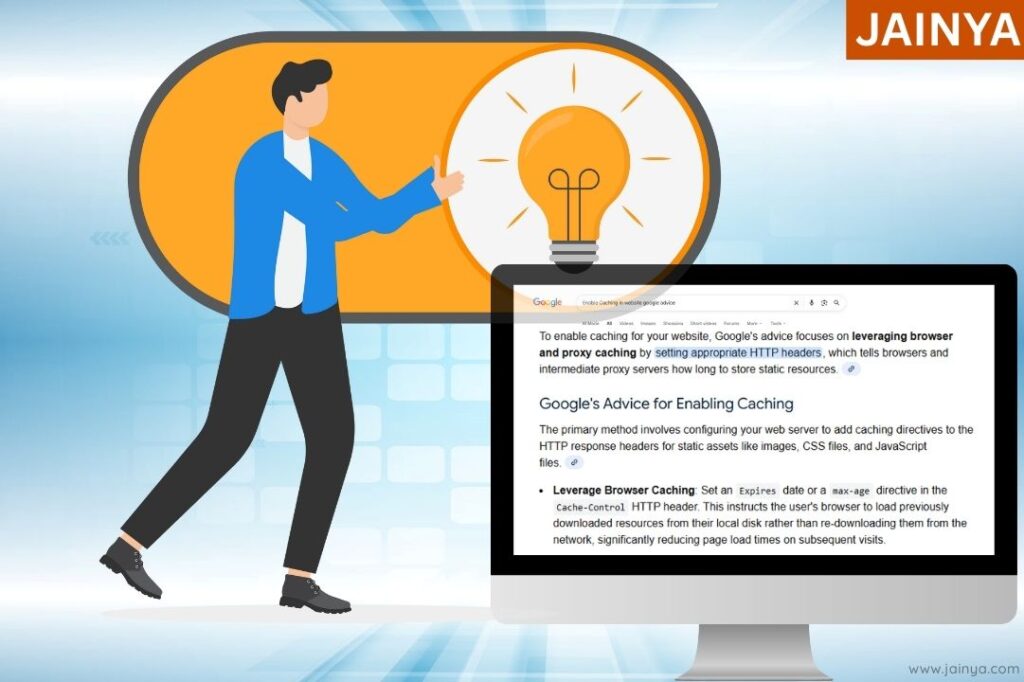
Caching saves a copy of your website’s pages and helps cut down on load times for your server and page delivery to visitors. Enable caching on your WordPress site by using a caching plugin such as W3 Total Cache or WP Super Cache. These plugins generate static versions of your pages, which allows them to load much faster.
Do both, broswer side and server side caching. Browser Caching tells a user’s device to store the resources from your site locally so it doesn’t have to re-download them on subsequent visits. Dynamic content is delivered quickly and efficiently through server-side caching.
Clear your cache often to prevent serving stagnant content. You can create an automatic cache purging schedule and your site will always with fresh data without having to do anything.
Minimize HTTP Requests
Every item you have on page – images, scripts, style sheets – generates an http request. The more requests your site has to make, the longer it will take a page to load. Reduce these requests by combining CSS files, and JS files, or simply posting less items on a page.
Load scripts asynchronously to also enhance load time. This practice avoids scripts that prevent other parts of the page from loading, providing a better experience for users. Also for increased performance, push non-essential JavaScript to the end of page.
Regularly audit and remove any dead weight. Reducing your page design can cut times to load down and make it easier for users to navigate between pages.
Leverage a CDN Stand for Content Delivery Network, available in various models.
A CDN serves your site’s static files through a network of servers around the world – faster for you, and more convenient for your users. Service such as Cloudflare or MaxCDN can do wonders for your WordPress site load speed. Because they cut down the length of data’s journey, CDNs reduce latency and improve load times.
Choose a CDN provider with broad coverage and good security. DDoS protection and other defenses help keep your site running strong.
And then monitor CDN performance and tweak this as necessary. Monitoring of CDN analytics can help in efficient utilization and identify potential areas of improvement.
Optimize Your Database
Your WordPress database get cluttered with unnecessary data including revisions, spam comments,trashed items, etc. Clean up and optimize your database You can do so by using a reliable plugin, such as WP-Optimize to help you improve site speed. Regular database cleanup will prevent bloat and improve query response.
Set up nightly or weekly database cleanup jobs, to ensure your site keeps running fast. Scheduled maintenance jobs can be configured to perform regular maintenance without manual operation.
Be sure to backup your database before doing any optimization! Integrity of data is very important – especially when there are some big changes or updates.
Limit the Use of Plugins
Too many plugins can slow your site down. Keep a regular check on the active plugins and deactivate or delete those not in use. Getting rid of plugin mess not just speeds things up, but also makes your site more secure by having less attack surface.
Opt for leaner plugins and keep them up to date, they will work better. The plugins which are well kept will likely be compatible and you will get better support with them.
Think about a bespoke systems for more complex tasks. Customizing features to your own use-case will usually be more efficient than using 3 bizarre plugins.
Enable GZIP Compression
The GZIP compression will help you reduce the size of your site’s files and improve load times. GZIP is supported by the majority of modern browsers and it can speed up your site. You can use a GZIP plugin such as WP Rocket to activate GZIP compression in your WordPress site.
Make sure GZIP is compatible with your server. Best Compression and Delivery depends on correct server configuration.
Go online and test compression of your site. Frequent inspections can help to ensure that GZIP is working as expected and optimize for improvement accordingly.
Plugins to Speed Up WordPress
Leveraging WordPress plugins can help with easy and fast solutions to optimize site speed. Choosing the appropriate tools can make optimization easier and bring measurable enhancements.
WP Rocket
WP Rocket is a premium caching plugin with many features such as page caching, GZIP compression and lazy loading. It’s simple, easy to use and has potential to make your site super fast with very minimal configuration. With a simple and understandable users interface of the plugin capable to use even beginners.
Use the preloading and database optimization features from WP Rocket. These techniques could be taken a step further to provide faster results by predicting which records the user would click on and by purging obsolete data away.
Be sure to always update WP Rocket to get the latest and greatest! Keeping it updated guarantees compatibility with the newest WordPress version and your applying its security updates.
Autoptimize
Autoptimize This is a popular plugin used to optimize your site’s CSS, HTML, and JavaScript files. It combines, minifies and caches your scripts and styles too for less requests with a better load time. Autoptimize also optimizes frontend performance and speeds up your code delivery, allowing you to get better results.
How to optimize Autoptimize settings for your website Customize Autoptimize settings based on the nature of your website. Modifying the optimization parameters can even be used to enhance performance without losing generality.
Measure the effect after having made changes. Tune settings as necessary to find a compromise between speed gains and user experience.
Imagify
Imagify: Compression d’images Imagify Image Optimizer is another image optimization plugin that allows you to compress your images without sacrificing quality. It’s a great option for speeding up WordPress by compressing all images on your site. Imagify reduces the file size of your images helping you improve loading times and bandwidth.
Take advantage of Imagify’s bulk optimization for quicker results. This software lets you do batch images optimization to make task more time effective and easy on your part.
1-gzip_handler added Check Imagify compatibility with popular gallery plugins. By keeping things consistent you integrate smoothly into your own site.
Advanced WordPress Performance Tuning
Advanced tuning For those who want to squeeze every last bit of performance out of their WordPress, advanced optimization options are available. And by utilizing modern methods you would get really fast, reliable code.
Lazy Load Images and Videos
Lazy loading is image and video loading technique to load those media only when they become visible to the user. This method minimizes the startup time and bandwidth cost, providing better experience to users. Use plugins (like the Lazy Load by WP Rocket) to enable this.
Make sure we work with everything. Lazy loading should work flawless everywhere including images, video and iframe to offer best performance benefits.
Lazy loading with browser testing on different devices. Full coverage testing for predictable behavior in all use cases.
Optimize CSS Delivery
Make sure your CSS files are non-blocking by inlining critical CSS and deferring unimportant styles. This is a handy technique to make your site load faster by loading above-the-fold content first. By optimizing visual aspects, you can make users feel the loading time is quicker.
Try some different inline or deferred CSS setups. Customizing these values may be helpful in the tuning of site performance for its design and layout.
Perform routine audits in your CSS files to avoid redundant and outdated styles. Optimizing your CSS can help to additionally, loads faster and make site maintainable.
Reduce Server Response Time
Set a server response time of under 200ms This can be achieved by opting for a fast hosting provider, database optimization and caching system. Fast server response time increases customer satisfaction and overall site efficiency.
Perform regular performance tests to find and eliminate bottlenecks. Identifying areas of slower care can direct specific interventions and resource distribution.
Work with your host to optimize server settings. Providers typically also give tips and tools for better server performance and reliability.
Monitor Your Website’s Performance
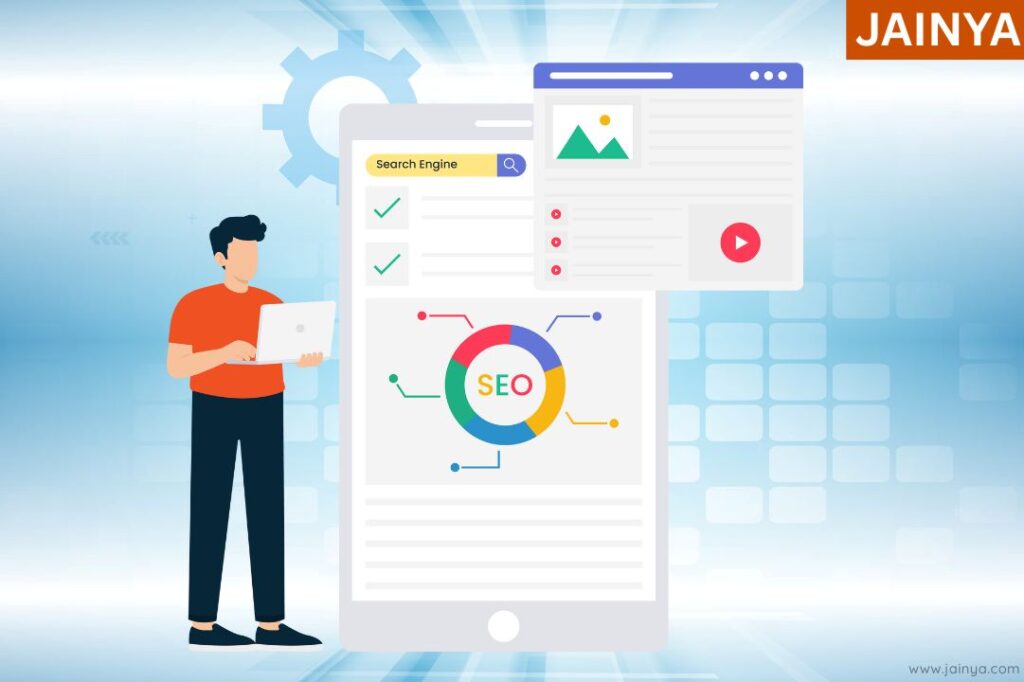
Check how your Web site is performing from time to time with tools like Google PageSpeed Insights, GTmetrix or Pingdom. They offer good clues of something that needs improvement and when tracked over time you can monitor your progress. THE BIRD’S EYE VIEW OF METRICS It’s much easier to make decisions about what assets and offers to spend time optimizing with this high level view of all of your site metrics.
Configure performance alerts to be triggered automatically for critical problems. Real-time notifications enable timely actions to avoid disruptions, so as not to disrupt user experience.
Analyzing performance data to detect trends and patterns. Insight into long-term performance trends can help to inform strategic planning and future development.
Conclusion
Tweaking the speed of your WordPress site is very meticulous work – this should be done continuously. So, by following these crucial tips you can greatly enhance your site’s speed, optimize the user experience and increase search engine ranking. The point being that a faster website doesn’t only please your visitors, but also plays a significant role in the success of your online life. Tasked with the daily necessity for maximum site visibility, aligning towards long-term goals is a perfect way to make your website work harder for you in the digital world.
Talk to the solutions team

Leave a Comment